Best Plastic Name Badge Printers and Supplies for Professional ID Badge Creation
Choosing the right plastic name badge printer and compatible supplies is essential for creating professional-quality ID badges quickly and easily. Whether you are printing employee IDs, event badges, or membership cards, having the right printer and blank cards can make all the difference. Below is a summary table of some of the best plastic name badge printers and printable supplies available on Amazon, selected for compatibility, print quality, and ease of use.
| Product | Brand | Key Feature |
|---|---|---|
| Badgy100 Color Plastic Card Printer | Badgy | Print color badges in 45 seconds with near edge printing |
| Cardholdir ID Easy Badges Solid 210 Printer | Cardholdir ID | Includes beginner software and supplies for 200 ID cards |
| Bulk 100 Pack Premium Blank PVC Cards | Specialist ID | Compatible with most popular photo ID badge printers |
| 100 Pack Premium Blank PVC Cards by CAETOUNG | CAETOUNG | Double-sided printable cards with international standard size |
| Avery Customizable Name Badge Inserts, 3″ x 4″ | Avery | Printable insert sheets for laser and inkjet printers |
Badgy100 Color Plastic Card Printer
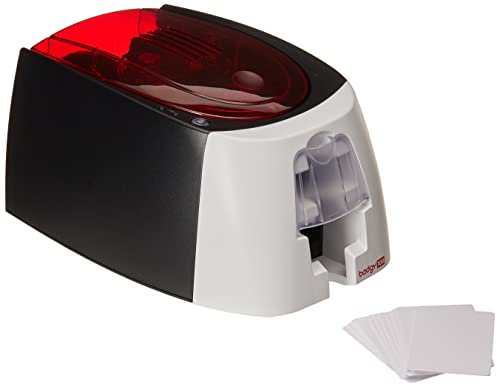
The Badgy100 is a color plastic card printer designed for quick and professional ID badge creation. It supports both Windows and Mac operating systems and comes with an easy-to-use ID design software. This printer can produce full-color badges in just 45 seconds and supports near edge printing with a print margin of 1.35mm (0.05″), allowing for polished designs that extend almost to the card’s edge.
Setup is straightforward for both beginners and advanced users. This printer is ideal for offices, schools, and event organizers looking for high-quality color ID cards without extensive training or complicated installations.
Cardholdir ID Easy Badges Solid 210 Printer

The Cardholdir ID Easy Badges Solid 210 is a simple, hand-fed ID badge printer meant for single-sided badge printing. It comes bundled with everything needed to start printing immediately: beginner-friendly software, 250 full-color print ribbon, and 200 PVC standard CR80 size cards. Users can easily choose templates and avoid the need for graphic design expertise.
This direct-to-card printer prints at 300 dpi, suitable for most organizational needs, and operates at a speed of about 300 full-color cards per hour. It’s compatible with both PC and Mac, making it versatile for various environments like schools, small businesses, and events.
Bulk 100 Pack Premium Blank PVC Cards by Specialist ID

This set of 100 Premium Blank PVC Cards from Specialist ID offers high quality, white 30 mil CR80 standard plastic cards. They are USA manufactured and compatible with most popular photo ID badge printers, excluding inkjet models. The cards come sealed in shrink wrap to ensure they arrive clean and ready to use.
These cards meet professional standards and are perfect for office badges, student IDs, membership cards, and gift cards. They provide a durable surface for printing durable, high-resolution images and text with thermal transfer or dye sublimation badge printers.
100 Pack Premium Blank PVC Cards by CAETOUNG
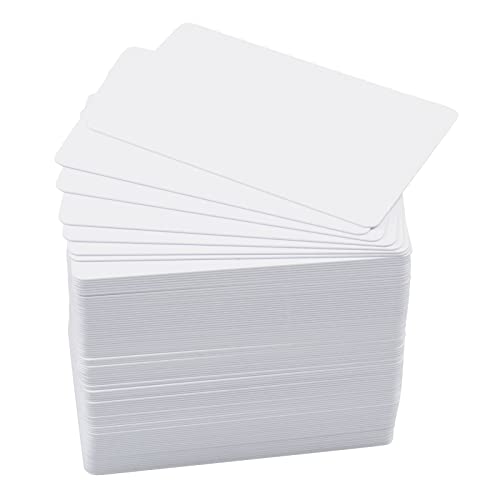
The CAETOUNG 100 Pack PVC Cards are widely compatible with most photo ID badge printers, designed for double-side printing on smooth white plastic. They come in the international credit card size standard (CR80, 85.6 x 53.98 mm) and have a thickness of 30 mil. These cards do not contain embedded chips, magnetic strips, slots, or holes, making them ideal for straightforward badge printing.
Users should note these cards are not suitable for inkjet printers; they work best with thermal transfer or dye sublimation printing technologies common in ID badge printers.
Avery Customizable Name Badge Inserts, 3″ x 4″

The Avery 5392 Customizable Name Badge Inserts come in sheets of 300, designed to fit into name tag holders. These inserts are compatible with both laser and inkjet printers and allow users to quickly create personalized badges featuring names, titles, company logos, and more using Avery’s free online design software.
These badges are ideal for corporate events, business meetings, conventions, parties, and networking occasions. They provide crisp, smudge-free printing so your name tags look sharp and professional every time.
Buying Guide for Plastic Name Badge Printers
Printer Compatibility and Card Types
Ensure the printer you choose supports the card type and thickness you plan to use. Most ID badge printers are designed for PVC cards with a standard CR80 size (85.6 x 53.98 mm) and a thickness around 30 mil. Verify that your cards are compatible with dye sublimation or thermal transfer technology, as inkjet and laser printers typically cannot print directly on plastic cards.
Print Quality and Speed
Print resolution is critical for producing clear, professional-looking badges. Look for printers offering at least 300 dpi resolution. Consider print speed if you intend to produce many badges in a short time; some printers can print cards in under a minute.
Software and Ease of Use
Many badge printers come with proprietary or third-party software for designing badges. Choose options that include beginner-friendly interfaces or templates, especially if you lack graphic design skills. Software should also be compatible with your operating system (Windows or Mac).
Single-Sided vs. Double-Sided Printing
If you need to print information or branding on both sides of the badge, verify that the printer supports double-sided printing. Some models only support single-sided badges, which might limit design options.
Budget and Supplies Availability
Consider the cost of consumables like ribbon cartridges and blank cards. Bulk card packs can reduce the cost per badge. Make sure replacement ribbons and cards are readily available from your printer’s manufacturer or third-party suppliers.
Connectivity Options
Check if the printer supports USB, Ethernet, or wireless connections depending on your setup needs. Wireless printers offer convenience but might impact speed and security depending on the environment.