Best Printer to Computer USB Cables for Reliable High-Speed Connections
Choosing the best printer to computer cable is essential for ensuring stable and fast data transfer between your devices. Below is a summary table of top USB printer cables available on Amazon, selected for their compatibility, durability, and high-speed performance.
| Product | Brand | Length | Key Features |
|---|---|---|---|
| HP Printer Cable 6ft, Square USB A to USB B Cable | Bordsek | 6ft | USB 2.0, Gold-Plated Connectors, Wide Device Compatibility |
| USB Printer Scanner Cable High Speed 10FT | XIXIXIAXIA | 10ft | USB 2.0, High-Speed, Compatible with Major Printer Brands |
| UGREEN USB A to USB B Printer Cable 5ft | UGREEN | 5ft | High-Speed 480 Mbps, Wide Compatibility, Stable Connection |
| sweguard Printer Cable 10ft Nylon Braided | sweguard | 10ft | Gold-Plated Connectors, Nylon Braided, Universal Compatibility |
| Amazon Basics USB-A to USB-B 2.0 Cable 16 Foot | Amazon Basics | 16ft | Gold-Plated Connectors, Durable Design, External Device Compatible |
HP Printer Cable 6ft, Square USB A to USB B Cable

This USB 2.0 printer cable connects your printer, scanner, or external hard drive to your computer with high-speed reliability and durability. Featuring gold-plated connectors, it minimizes signal loss and interference. The 6-foot length offers flexibility for your setup, and its universal compatibility supports a wide range of devices including Epson, HP, Canon, and Brother printers. The plug-and-play design ensures quick and stable connectivity, providing a strong alternative to Wi-Fi connections for printing and scanning.
Printer to Computer USB Scanner Cable High Speed A to B, 10FT

This high-speed USB A to B cable is ideal for connecting various printers and scanners to PCs or Macs. With a 10-foot length, it offers extended reach in office or home environments. Compatible with leading printer brands such as HP, Canon, Dell, and Epson, it supports USB 2.0 transfer speeds to ensure fast document transmission. Its durable design withstands extensive daily use, making it a practical cable choice for reliable performance.
UGREEN USB A to USB B Printer Cable 5ft – High-Speed
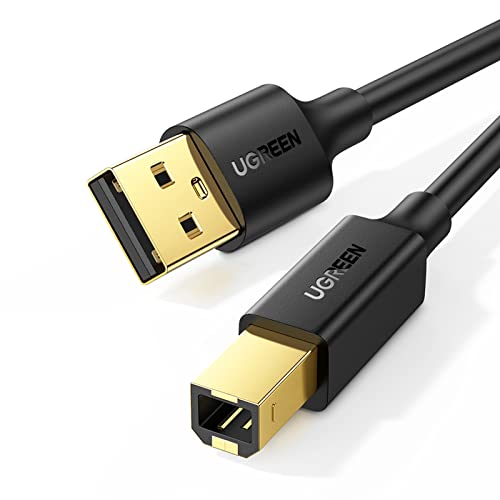
The UGREEN USB 2.0 printer cable supports transfer speeds up to 480 Mbps for efficient communication with printers, scanners, and other USB B devices. Its backward compatibility with USB 1.1 and 1.0 devices ensures flexibility. The 5-foot length suits standard desktop setups while maintaining a reliable connection. This cable is compatible with a broad spectrum of popular brands including HP, Canon, Brother, Samsung, and Lexmark, making it a versatile and dependable choice.
sweguard Printer Cable 10ft, High Speed Nylon Braided

The sweguard USB 2.0 printer cable combines durability with high-speed data transfer, supporting speeds up to 480 Mbps. Its nylon braided jacket enhances resistance to wear and tangling, extending product life. Gold-plated connectors reduce corrosion and signal interference, ensuring optimal printing and scanning clarity. Universal compatibility makes it suitable for multiple brands including Dell, Xerox, and Lexmark. This 10-foot cable is ideal for users needing longer reach without sacrificing speed or durability.
Amazon Basics USB-A to USB-B 2.0 Cable for Printer or External Hard Drive

This Amazon Basics USB 2.0 cable provides a longer 16-foot length, suitable for setups requiring extra distance. The gold-plated connectors offer corrosion resistance for a stable signal, while its durable construction supports longevity. Perfectly designed for connecting printers and external hard drives, it maintains high performance during data transfer. Compatible with speed-sensitive peripherals, this cable balances affordability with quality performance for both home and office use.
Buying Guide: Key Factors When Choosing Printer to Computer Cables
Selecting the right printer to computer cable requires consideration of several factors to ensure speed, compatibility, and durability.
USB Specification
The majority of printer cables use USB 2.0 technology, supporting transfer speeds up to 480 Mbps. Although USB 3.0 and above offer higher speeds, printers commonly utilize USB 2.0 for stable compatibility. Verify your devices’ USB ports and choose a cable that matches or exceeds your printer’s standard.
Connector Types
Printer cables typically connect USB Type A (computer side) to USB Type B (printer side). Several devices use a square-shaped USB Type B connector, so ensure the cable matches your printer model’s port. Avoid cables with uncommon connectors unless matched exactly.
Cable Length and Flexibility
Length matters depending on your workstation setup. Common lengths range from 5 to 16 feet. Longer cables provide flexibility but may experience slight signal degradation if excessively long. For most settings, 6 to 10 feet is optimal. Nylon braided cables add resistance to tangling and improve durability.
Build Quality
Look for gold-plated connectors to reduce corrosion and maintain signal integrity over time. Sturdy jackets, especially nylon braiding, protect against wear and avoid cable damage. Plug-and-play function ensures easy setup without additional drivers.
Device Compatibility
Choose cables widely compatible with popular printer brands such as HP, Canon, Brother, Epson, Lexmark, Dell, and Samsung. Compatibility ensures seamless communication without connection issues.
Transfer Stability vs. Wireless
USB cables provide a more stable and faster connection compared to Wi-Fi or Bluetooth. Wired connections minimize delays, dropped signals, and security concerns, essential for time-sensitive printing or scanning tasks.
Price vs. Performance
USB printer cables are generally affordable, with higher quality models offering improved shielding and durability. Avoid extremely cheap options lacking gold plating or adequate shielding, as they can cause interference or unstable data transfer.